
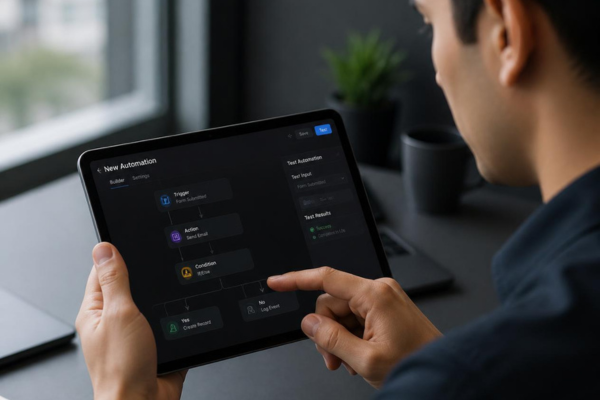
The automation looked fine in the builder. Every step was connected, every condition made sense on screen, and the logic read cleanly from top to bottom. So it got turned on.
Three days later, a customer who canceled eighteen months ago got an email welcoming them as a brand-new lead. Another customer got the same follow-up sequence four times in one afternoon. A sales rep got assigned a task for a deal that had already closed. None of it was catastrophic on its own — but all of it was visible to the people it touched, and none of it should have made it past a first look.
This is the gap between an automation that’s built correctly and one that’s been tested. Building it means the logic works the way you intended. Testing it means finding out what happens when the logic meets the messy, inconsistent reality of your actual data — before a real customer becomes the one who discovers the difference.
Why “It Looks Right” Isn’t the Same as “It Works”
When you build an automation, you’re testing it against the version of your data that exists in your head: clean, complete, and behaving exactly the way your trigger conditions assume it will. Real records rarely cooperate. A field you assumed was always filled in is sometimes blank. A status you assumed was mutually exclusive with another status turns out, in a handful of records, to be both at once.
None of this shows up when you’re just reading the workflow logic. It only shows up when the automation actually runs against a record that breaks your assumption — and if that first record is a real customer instead of a test one, they’re the one who finds the gap for you.
The Real Cost of Skipping the Test Run
An untested automation that goes wrong doesn’t usually fail loudly. It fails quietly and repeatedly, which is often worse. A workflow that sends the wrong message to one customer a week can run for months before anyone notices the pattern, because each individual case looks like a one-off rather than a symptom of something systemic.
By the time it’s caught, it’s rarely just one awkward email. It’s however many customers received it in the meantime, each one now needing a correction, an apology, or at minimum a moment of confusion about why your business seems to have forgotten who they are. The fix itself is usually simple. The trust cost of the customers who already saw the mistake is not something a fix can undo.
Step 1: Test With Real Data, Not Invented Data
A test contact with perfectly filled-out fields will pass through almost any automation cleanly — which tells you nothing, because your real database isn’t that tidy. Pull a handful of actual records that represent your normal range of messiness: one with a missing field, one with an unusual status combination, one that’s sat untouched for a long time, one that recently moved between stages quickly. If the automation handles those correctly, it’s actually been tested. If it’s only ever seen a clean sample record, it hasn’t.
Step 2: Isolate the Test From Anything a Customer Could See
Before running anything, make sure the test can’t actually reach a customer. Route test emails to an internal inbox, point test SMS to an internal number, and disable any connected notification, webhook, or integration that could fire externally during the run. The goal of a test is to observe what the automation does — not to find out the hard way that a “test” contact was actually attached to a live record.
Step 3: Walk the Full Path, Not Just the Trigger
It’s tempting to fire the trigger, see that step one worked, and call it tested. Most automation failures don’t happen at the trigger — they happen three or four steps in, at a branch, a delay, or a condition that only gets evaluated once earlier steps have already run. Let the automation run its complete path end to end, including every branch your test data can reach, before deciding it’s ready.
Step 4: Test the Edge Cases on Purpose
The records most likely to expose a problem are exactly the ones easiest to skip during testing, because they take a little more effort to set up: a duplicate contact, a record with two conflicting statuses, one missing the field your first condition checks, one that qualifies for two different branches at once. These aren’t rare exceptions worth ignoring — they’re the specific cases where broken automations actually break. Deliberately testing them is what separates a real test from a quick glance.
Step 5: Check What Happens When It Runs More Than Once
Automations don’t always run exactly once per record the way you picture them. A record can re-enter a workflow, a trigger condition can fire twice in quick succession, or a delayed step can overlap with a manual action someone takes in the meantime. Test what happens if the same record runs through the automation twice — does it send duplicate messages, create duplicate tasks, or handle it gracefully? If you haven’t tested for repetition, you don’t actually know the answer yet.
Step 6: Get a Second Set of Eyes Before It Goes Live
The person who built the automation is the person least likely to spot its blind spots, simply because they already know what it’s supposed to do and unconsciously test toward that expectation. Before turning anything on for real customers, have someone else — ideally someone who wasn’t involved in building it — walk through the logic and the test results with fresh eyes. A workflow that makes complete sense to its builder can still contain an assumption nobody else would have made.
The Bigger Lesson: Confidence Should Come From Testing, Not From Familiarity
It’s easy to feel confident about an automation simply because you understand it well — you built it, you know what it’s supposed to do, and the logic makes sense to you. That familiarity isn’t the same thing as evidence that it works. Confidence that’s earned by actually running the automation against messy, real, edge-case data is worth far more than confidence that comes from having read your own workflow enough times to trust it.
The goal isn’t to slow down every automation with an exhaustive process. It’s to make sure the first time an automation meets reality, reality is a test record — not a customer.
The Takeaway
An automation that looks correct in the builder hasn’t actually been tested until it’s run against real, messy data — including the missing fields, conflicting statuses, and edge cases that don’t show up in a clean sample. Isolate the test from anything a customer could see, walk the full path rather than just the trigger, deliberately test edge cases and repeat runs, and get a second set of eyes before it goes live.
Do this consistently, and your customers only ever meet the version of the automation that’s already been proven to work — never the version that’s still finding out.
At Kujenga, we help businesses test and validate automations before they touch real customers, so what goes live is what you actually intended to build.
If an automation is about to go live and you want a second set of eyes on it first, let’s take a look before your customers do.


